Butter Builder
Browse the blueprint catalog, place previews, and move or rotate selections with transform tools and grid snapping.
BUTTER LT2 / FEATURES
A closer look at what’s in the script, organized by the job you want to get done.
01 / AUTO BUILD
A proper workspace for your next build.
Browse the blueprint catalog, place previews, and move or rotate selections with transform tools and grid snapping.
Duplicate, copy and paste, undo and redo. Apply pending changes when you are ready, or revert them.
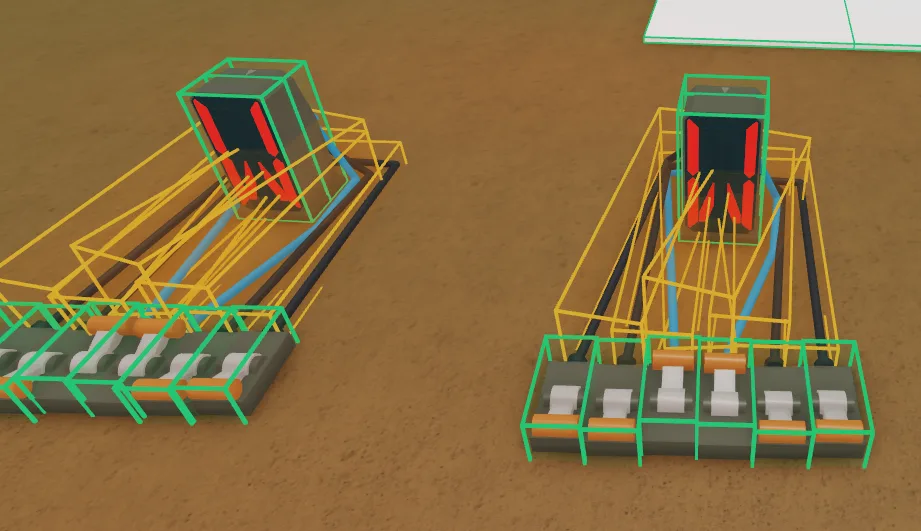
Set selected wood as your stockpile, then select placed blueprints to fill. Rescan your base and manage the stockpile from the builder.
02 / WOOD
From standing trees to sorted planks.
Choose a species and quantity. Get Tree handles axe selection, cutting, and delivery to your base.
Auto Sawmill, Mod Sawmill, Mod Wood, tree dismembering, and One Unit Cutter are included in the wood tools.
Lasso wood, filter by owner, sell selected pieces, or use click-to-sell. The tree calculator estimates log and plank values.
03 / ITEMS
Selection tools that work across your plot.
Drag a selection, choose individual objects, or select matching items as a group. Open selected boxes together.
Move selections to a position marker and arrange items with the 3D stacker. Truck modes are available for transport and stacking.
An experimental stacking mode is included in the script. Standard item and truck stacking are available alongside it.
04 / AUTO BUY
Less time going back and forth.
Select items and quantities from store catalogs. Purchase, stop orders, open boxes, and use Truck Auto Buy.
Dedicated options for the Rukiry-Axe, missing blueprints, and Power of Ease. Purchases still require in-game funds.
Claim available land, expand a plot, preview land art, sell the Sold sign, and request a save.
05 / PLAYER & WORLD
Movement, vehicles, and world settings.
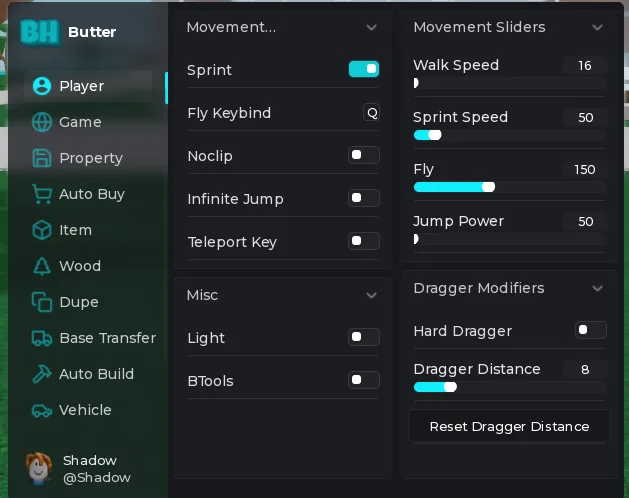
Configure sprint, flight, noclip, infinite jump, movement values, and the enhanced item dragger.
Day and night settings, fog, shadows, water controls, and teleports to players or plots.
Adjust vehicle speed or flip a vehicle. The Axe Dupe tab provides save-slot, timing, amount, and stop controls.
06 / SETTINGS
Keep your setup close at hand.
Choose a preset, adjust individual interface colors, import or export a theme, and save or load configurations.
Rebind the interface toggle. Builder shortcuts include duplicate, copy and paste, and undo and redo.
Rejoin a server, copy a join script, or join from a link. The interface also includes a ferry countdown.
A FEW DETAILS
The things people usually want to know.
Visit the script page for the loader and the existing LuaDefender key link. Paste your key inside the quotation marks before running the loader.
Left Alt is the default interface shortcut. You can change it in Settings. Press B to open the builder when its shortcut is enabled.
Join the LT2 Discord for community help. Include what you were doing and any error message.
No. Game updates and executor compatibility can affect behavior. Flash Stacker is marked experimental in the script. Check the community for current information.
BUTTER HUB / DISCORD
The live server widget shows who’s online. Meet the community or ask for help with your setup.
Open Discord ↗LT2 GUIDES
Follow the guide for blueprint previews, selection editing, and stockpile filling.