LUMBER TYCOON 2 / GUIDE
LT2 Script Help: Key, Loader & Menu Troubleshooting
Start by identifying where the problem happens: copying the loader, loading the menu, or running a particular tool. These checks use the loader and shortcuts published on this site and help narrow down what to report.
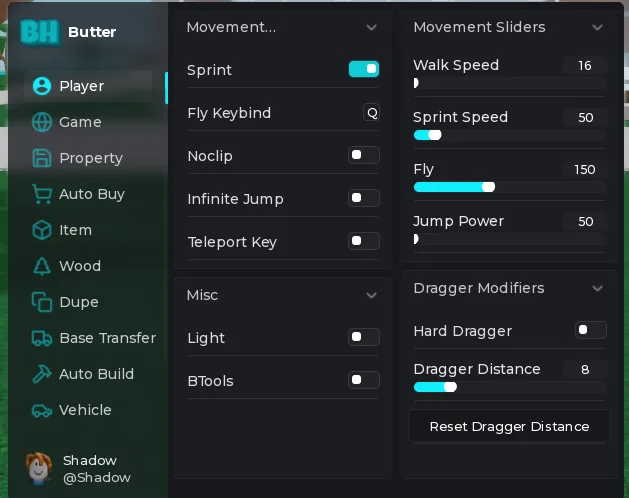
Check the game and script first
The main LT2 loader is on the Butter script page. Open the original Lumber Tycoon 2 experience, place ID 13822889. Butter supports other games too, but their pages and instructions should not be mixed with the LT2 setup.
Spook Finder is a separate loader. Its free script page requires no key. The main Butter LT2 loader has a key placeholder. Check which one you copied before changing anything.
Replace the key placeholder without changing the loader
The first line of the main loader sets getgenv().LDKey. Replace only the text Key here inside the quotation marks with the key from the linked key system. Leave the quotation marks and the second line intact.
Use the copy button on the script page to get both lines together. If your clipboard does not contain the complete loader, select the code and copy it manually. Copying text does not run the script; the setup still needs a compatible environment in the game.
If you see a key-related message, check that the placeholder was replaced, that no extra spaces were accidentally copied into the key, and that you used the key system linked from this site. Do not post your key in Discord or a screenshot.
If one feature fails, isolate that task
A menu that opens while a single tool fails is a different problem from a loader that never opens. Note the tool name, what you selected, what you expected, and what happened. For a purchase task, check that you have the required in-game funds. For a blueprint fill, review the stockpile and selected blueprints.
Flash Stacker is marked experimental. Standard item stacking and truck stacking are also listed in the feature directory; report which mode you were using. Do not describe every stacking mode as broken when only one has been tested.
Game updates, script changes, and environment compatibility can affect behavior. This site does not publish a guarantee that every tool works in every setup. Avoid changing several settings at once while diagnosing a failure, because that makes it harder to tell what caused the change.
Send a useful help request
Use the Butter LT2 Discord for community help. Include the game, the tool name, whether the menu opened, and the exact error text if there is one. Keep private keys out of the message.
- Game: Lumber Tycoon 2, not another supported game.
- Step: loading the menu, opening Builder, or a named feature.
- Reproduction: the smallest sequence that produces the problem.
- Result: what you expected and what actually happened.
If you need BABFT help instead, use the BABFT page to reach its separate website and community. The supported-games directory links to each Roblox experience.